I kept hitting the same three walls.
- Copy-paste into ChatGPT, Gemini or Claude. A small tax every time, but it adds up fast.
- Apple Intelligence. Needs Apple Silicon and a recent macOS. Not everyone has that.
- Grammarly. Needs a system Accessibility permission plus its own list of enabled apps. Works well for corrections, but the pattern insights, the “here’s what you keep getting wrong” part, sit behind a Premium subscription.
None of them fit, so I built a fourth option.
What I built
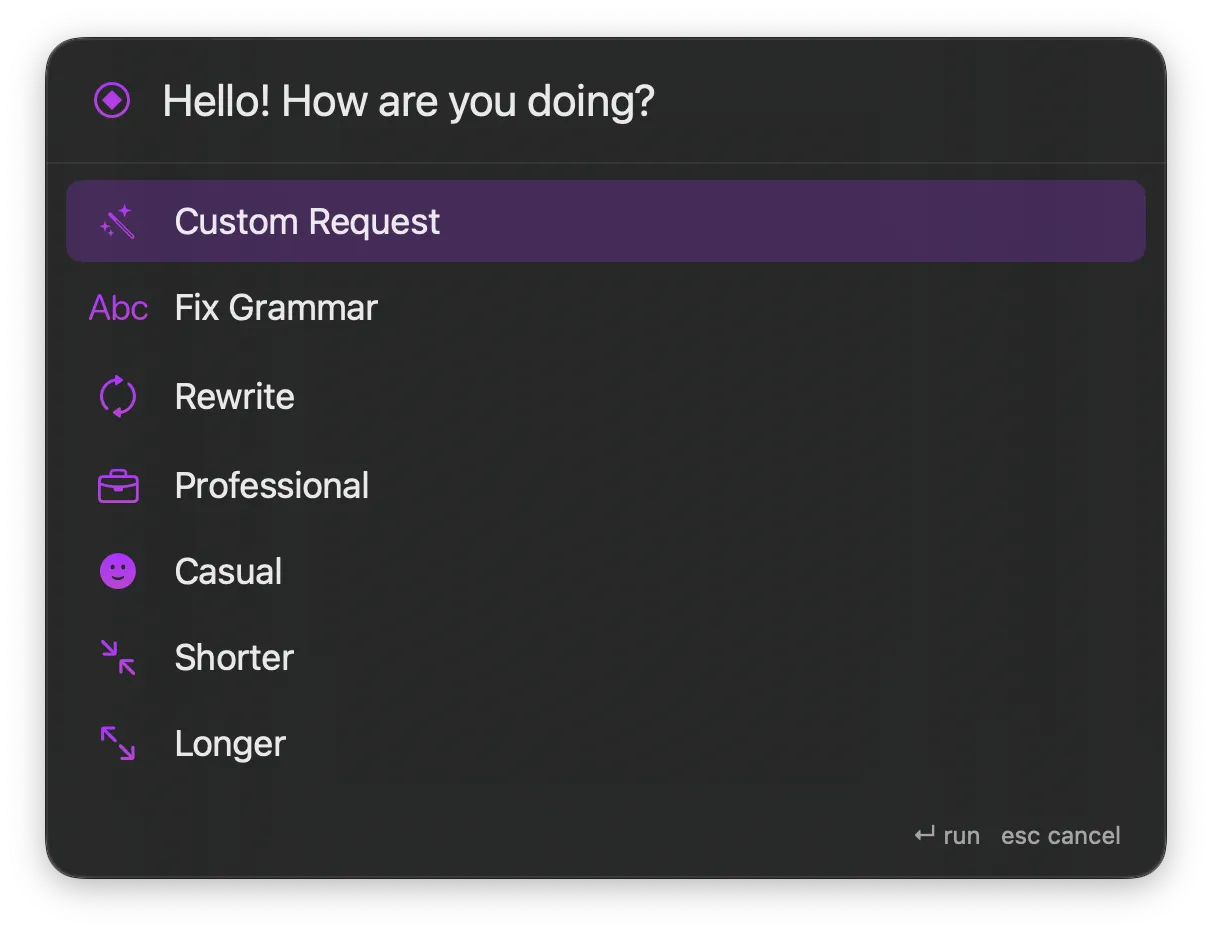
Transmute is a small macOS menu bar app. Select any text, press ⌥⇧T, pick a transformation from a panel next to your cursor and the selection gets replaced in place. Works in Mail, Slack, Xcode, a PDF, anywhere you can select text.
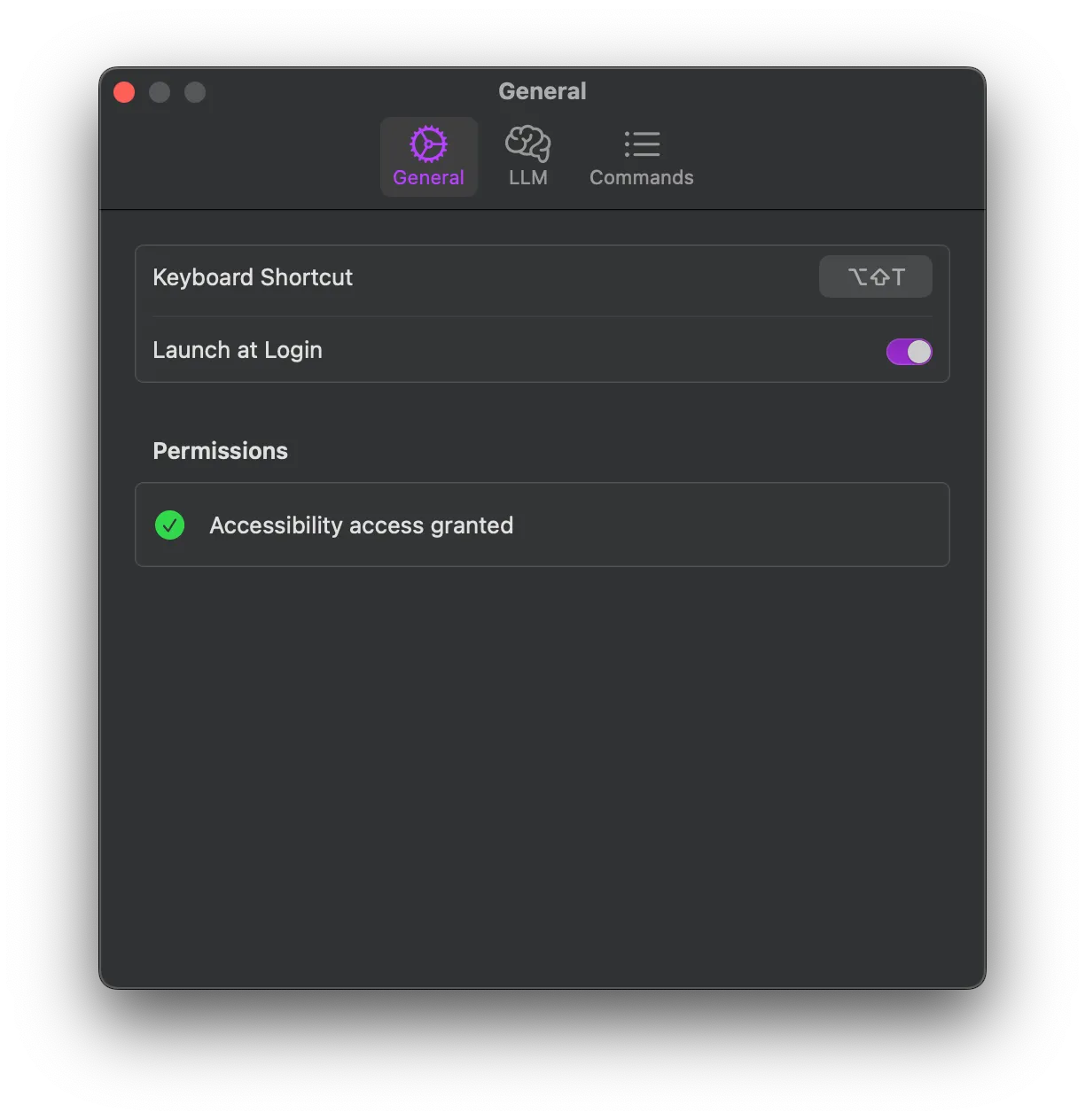
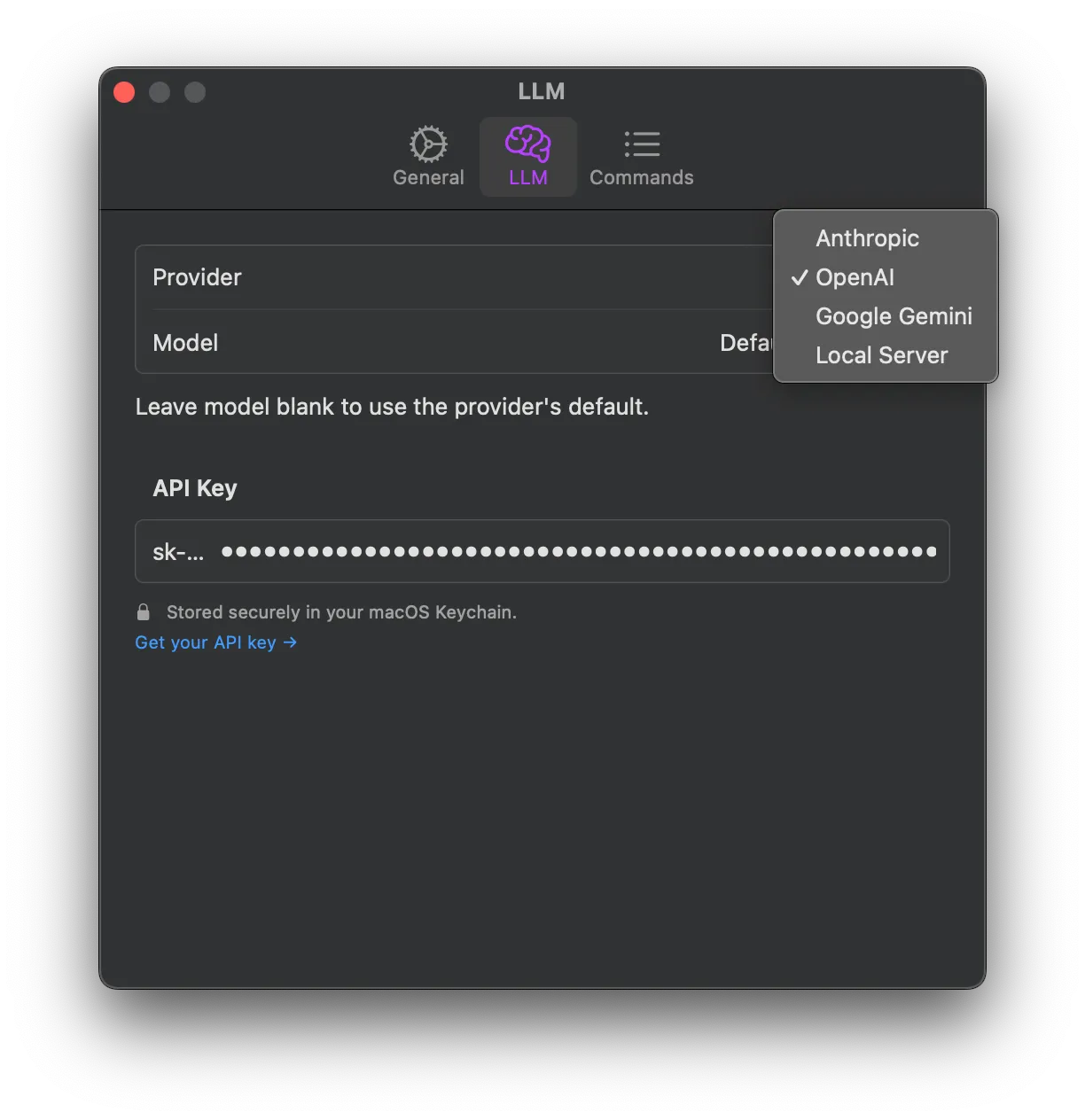
Bring your own model. Anthropic, OpenAI, Gemini or a local one through Ollama. Your key, swap it anytime in Settings.
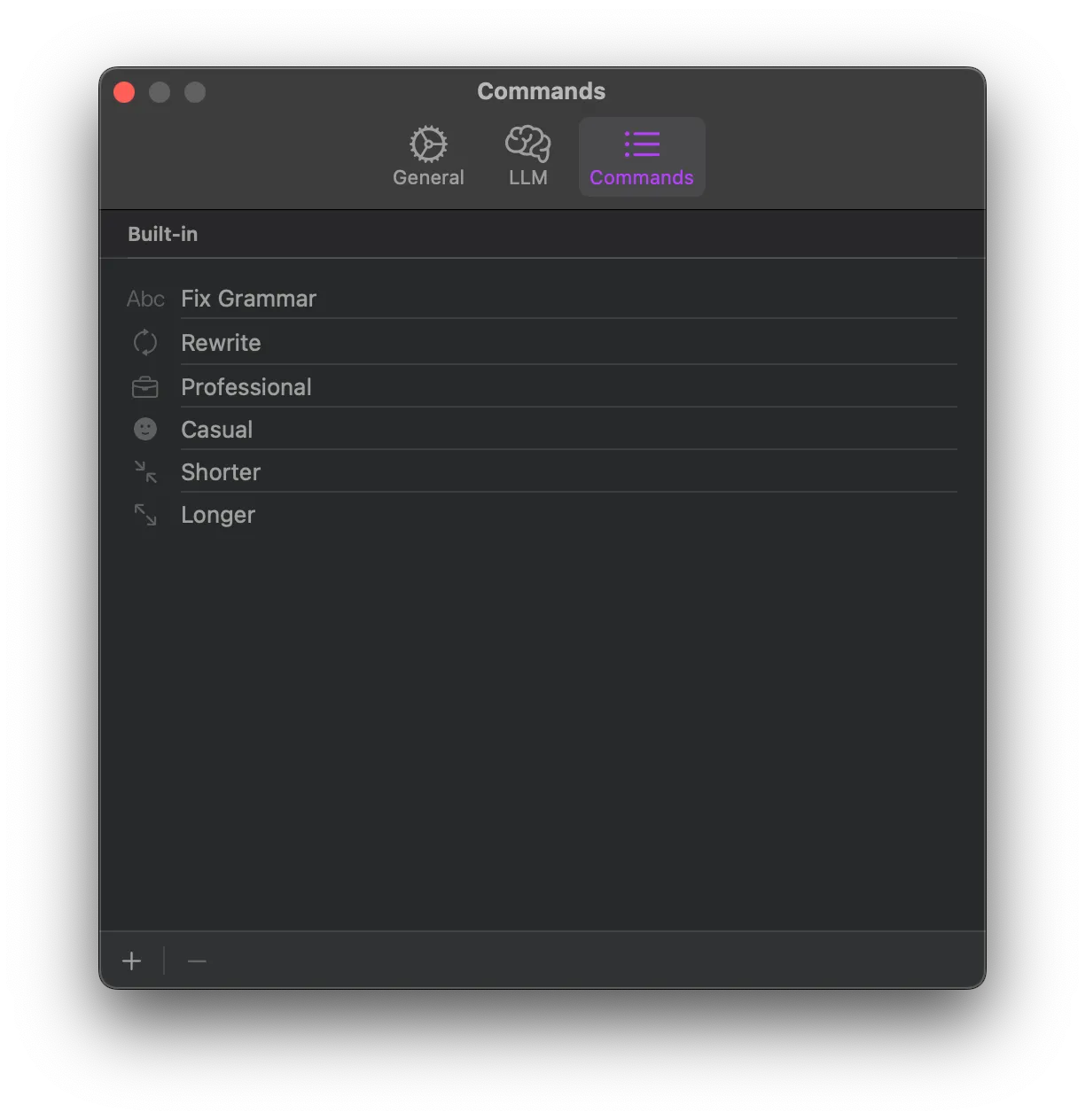
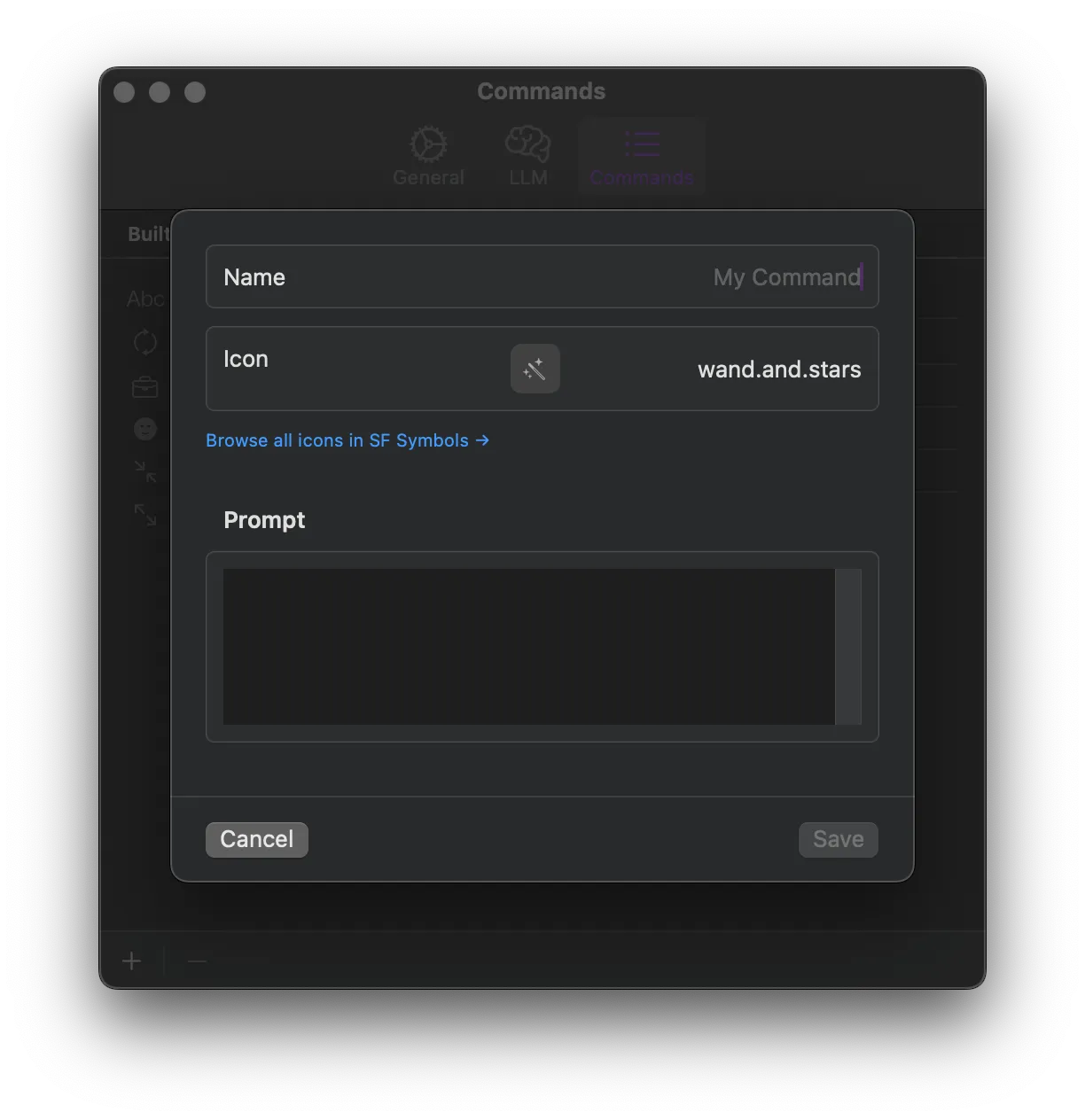
Commands built for how you actually write. Fix grammar, rewrite, shorten, change tone or define a custom command with its own name, icon and prompt.
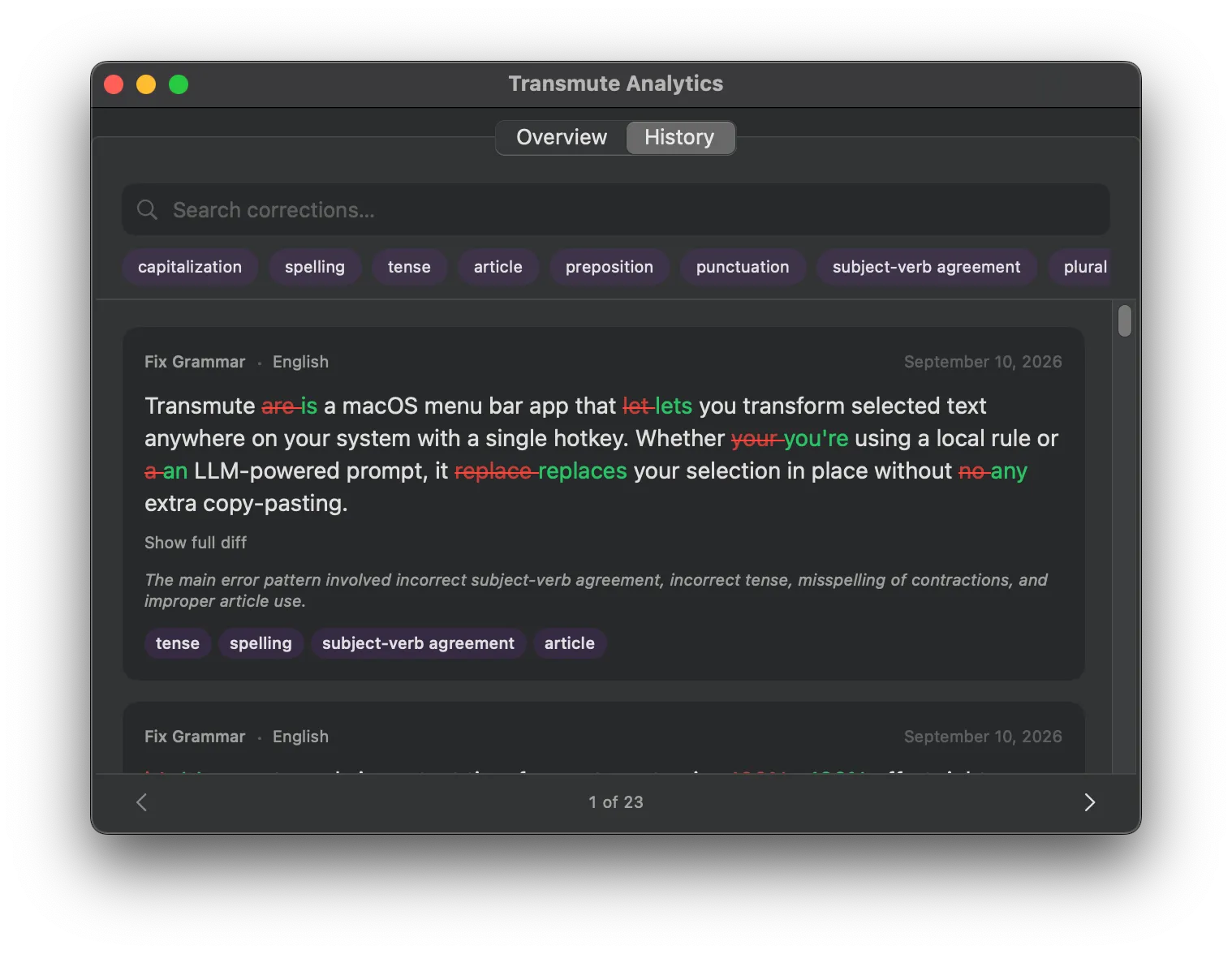
See what changed. Every transformation gets logged with a before/after diff, so you can review it or revert if something’s off.
Not the only fourth option
Turns out I’m not the only one running into these walls. There’s a whole little category of apps now doing the same basic thing: select text, hit a hotkey, AI drops the fix back in place.
| App | Model | Local LLM | Pattern analytics |
|---|---|---|---|
| Grammarly (desktop) | Subscription | No | No |
| Apple Intelligence Writing Tools | Free, hardware-gated | No | No |
| WritingTools (theJayTea) | Open source, GPL-3.0 | Yes (Ollama, llama.cpp, etc.) | No, “does not collect or store any of your writing data” |
| InDraft | Open source, MIT | Yes | Per-action history and diff, no aggregate patterns |
| Recast | Free | Yes | History only, explicitly disclaims pattern analysis |
| RewriteBar | Paid | Yes | None mentioned, “does not store or track any of your data” |
| Kerlig | $49 to $297 one-time | Yes (Apple Foundation Models, Ollama, LM Studio) | Chat history only |
| BoltAI | $69 one-time | Partial | None mentioned |
| Elephas | $129 to $249 or $5 to $15 a month | No | None mentioned |
| Raycast Quick Fix | Subscription add-on | No | None mentioned |
| PopClip + RewriteBar extension | Paid | Yes | None |
(List current as of September 2026, this space moves fast.)
Every one of them needs the same Accessibility permission Transmute does, so that’s not the differentiator. What actually stands out is that not a single one looks at the aggregate. The whole category’s privacy pitch is basically “we don’t track your writing.” Grammarly does track it, it just charges you to see the pattern.
Transmute tracks it too. The difference is it never leaves your laptop and nobody’s asking you to pay to look at it.
Side effect - every fix is a labeled data point
After a few months of using it daily, I noticed something else going on underneath the corrections.
Every time Transmute fixes your grammar, it quietly generates a labeled data point about your own writing: spelling, tense, punctuation, whatever the error was. You never asked for that instrumentation. It falls out of using the tool normally, no separate opt-in, no habit to maintain. There’s a dashboard if you want to look, but the data’s already piling up whether you open it or not.
It’s all stored locally as JSON, one record per correction. Here’s an actual entry from my own analytics file:
{
  "id": "32252D15-5342-4B7C-90AD-4776E516AD28",
  "date": 804129415.7,
  "actionName": "Fix Grammar",
  "language": "English",
  "originalText": "i just started using transmute to fix my grammer in slack.",
  "correctedText": "I just started using Transmute to fix my grammar in Slack.",
  "errorCategories": ["capitalization", "spelling"],
  "explanation": "The main error pattern involves incorrect capitalization at the start of the sentence and for the proper nouns 'Transmute' and 'Slack', as well as a spelling error in the word 'grammer' corrected to 'grammar'."
}
That’s ambient data collection and it’s changed how I look at software in general.
Getting visibility into your blind spots
208 spelling corrections. 126 tense. 117 punctuation. 92 article errors. Out of 457 fixes over about 80 days, that’s the shape of it.
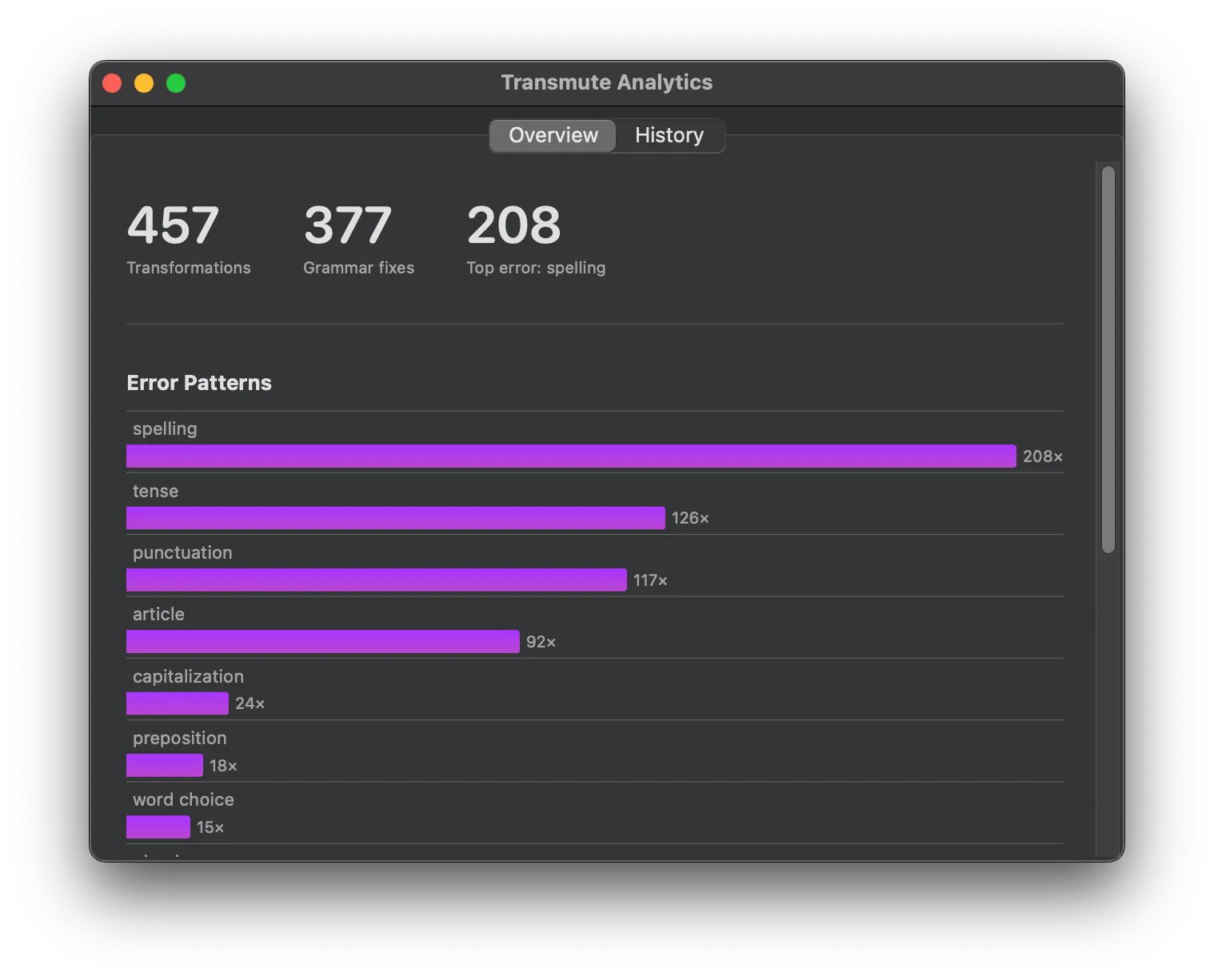
One sentence doesn’t tell you anything. Fix “I were working” once and it’s just a typo.
Original:  I were working.
Corrected: I was working.
Line up 126 of those and it stops being a typo. It’s a pattern you’d never notice one sentence at a time and the only reason it’s visible at all is that the correction was already happening anyway.
Visibility isn’t correction
I checked whether any of this changed my behavior. It didn’t. Spelling stayed between 30 and 60 percent of my corrections every single week across the full 80 days. No decline, no trend, just noise around the same number.
Looking at a bar chart once a week doesn’t fix the thing the bar chart is showing you. The sensor makes the pattern visible. It doesn’t do anything about it.
From mirror to coach
Right now the loop stops at the chart. Sensor: every fix. Observation: the category. Representation: the bar. That’s it, you have to go looking and looking once a week doesn’t change anything, as the last section just showed.
The obvious next step is closing the loop instead of stopping at representation. A daily digest: “This week you mixed up tense nine times, mostly after 6pm.” Or something closer to the moment, not just fixing “were” to “was”, but noticing you’ve made that exact mistake four times this month and saying so via notifications.
That’s the difference between a mirror and a coach. A mirror shows you the pattern and leaves the work to you. A coach notices the same pattern and keeps pushing it back at you until it stops.
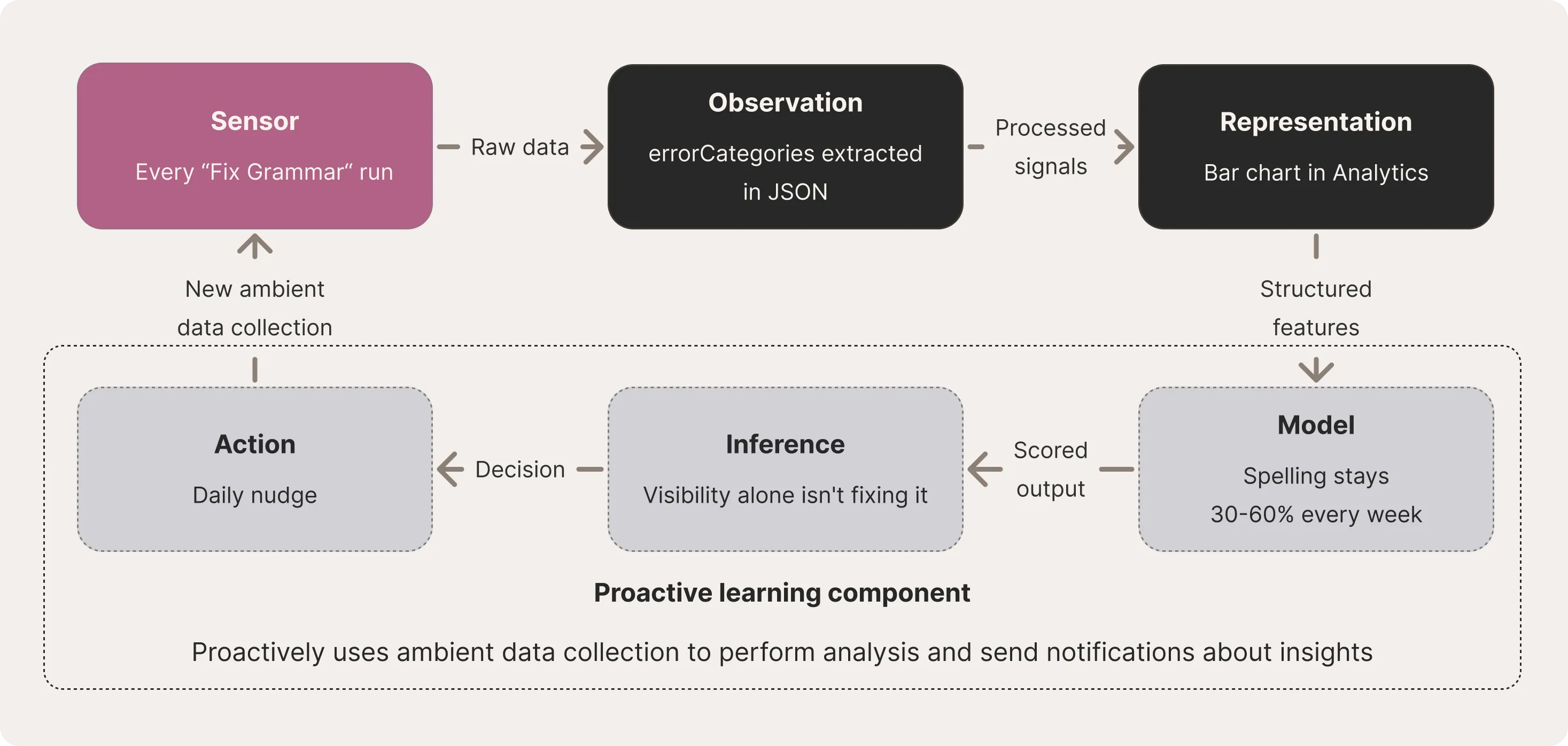
Sensor, observation, representation, model, inference, action: that’s not a pipeline I invented. It’s the same perception-action loop underneath machine learning, robotics, computer vision, autonomous vehicles, sensor fusion and closed-loop control systems. Sense the environment, extract features, build a model, run inference, act on the output, feed the result back in. Cybernetics called this a feedback loop decades before “MLOps” and “data pipeline” became the words for it. Transmute isn’t running a novel architecture, it’s the same foundational loop redefined for typos and tense instead of lidar and motor torque.
The pipeline stops at representation today. You do the model and inference steps yourself, if you bother to open the window at all. Nothing currently closes the loop into action.
I haven’t built this layer yet. But the data already exists, on my own machine, timestamped and categorized. Getting from “here’s your chart” to “here’s what you keep doing, do something about it” is a small step, not a new product.
The sensors are already in your workflow
This is the lens I now use on all software: what does this already capture about me as a side effect of using it and who benefits from that exhaust. I wrote about this more broadly in Everything is becoming a sensor. Transmute’s analytics turned out to be one instance of a mechanism that’s everywhere once you start looking for it.
Corporate telemetry runs on the same principle: capture something as a side effect of normal use, no separate opt-in required. The difference is who the exhaust serves. Telemetry ships to a vendor who uses it to improve their product. Transmute’s version stays on your disk and serves only you.
The mechanism isn’t new or unique to this app. What’s worth noticing is that it’s already sitting inside almost everything you use, whether or not anyone’s showing you the dashboard.
Closing
Go look for the sensor already sitting in whatever you use every day, the exhaust nobody’s shown you yet. That’s worth more than installing Transmute.
Transmute is just the proof of concept I happened to build along the way. It’s open source, MIT licensed. The repo is here if you want to read the analytics code or try it yourself.